
StickyPaste vs. Windows Clipboard, Ditto and CopyQ.
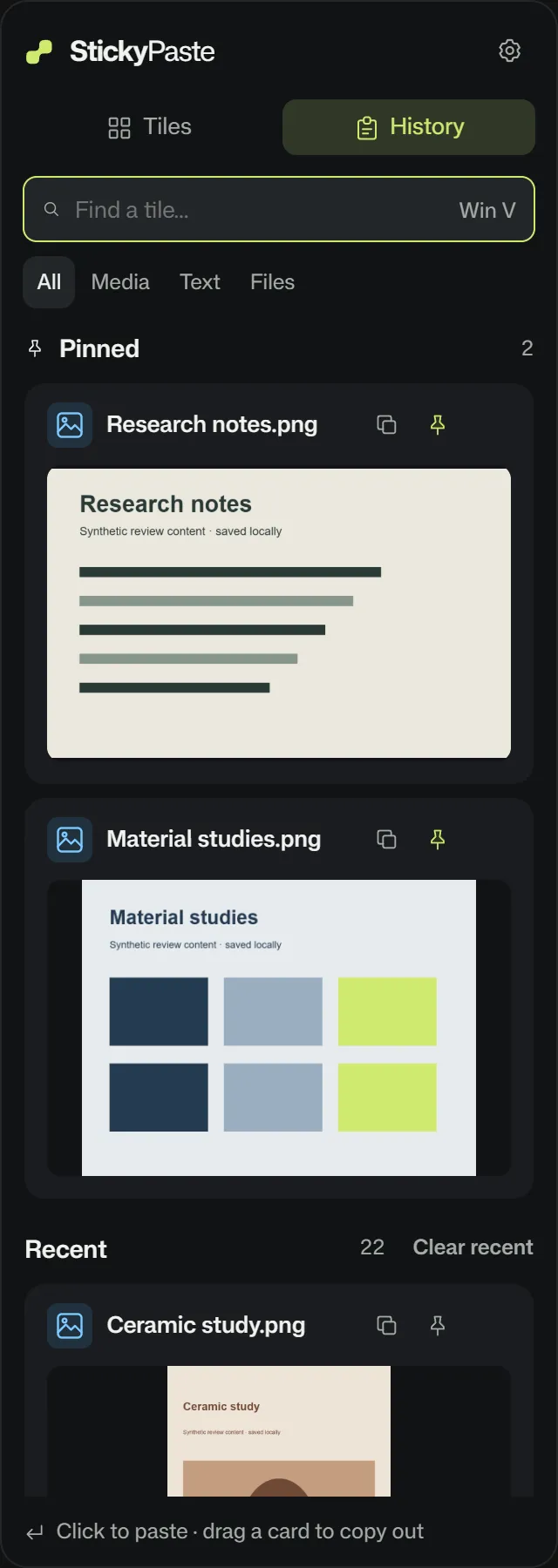
StickyPaste keeps your visual clipboard on disk on Windows 10 and 11, ready to paste after a restart. Native Win+V holds 25 entries and clears unpinned items when you restart. Open the StickyPaste shelf to find a web source, preview a PDF or paste yesterday’s screenshot. Pro stores up to 10,000 recent items plus protected pins.
Why people switch to StickyPaste
Bring a saved image back into a design review with its source link and a note showing what to change. Ditto, CopyQ and PowerToys handle clipboard recall or conversion without combining a visual drag-out tile shelf, source-linked web clipping and in-place markup with offline cutouts. StickyPaste puts those steps in one workspace.
| Feature | StickyPaste | Windows Win+V | Ditto / CopyQ |
|---|---|---|---|
| Price | Free or $34.99 once for 2 PCs | Included with Windows | Both free and open source |
| History capacity | Up to 10,000 recent items plus protected pins on Pro | 25 entries | Configurable retention in Ditto and per-tab limits in CopyQ |
| After a restart | Recent items and pins persist on disk | Only pinned items survive | Both keep local histories on disk |
| Clipboard privacy | Local clip storage and source-app privacy exclusions | Local history. Cross-device sync is optional. | Local storage and support for secret clipboard markers |
| Visual shelf | Drag out images or files from 12 Pro tiles. Clipboard Tabs included in Pro at launch. | History list with pins | Searchable lists, groups or tabs |
| Shortcuts | Remap Win+V or bind a shortcut to a tile or specific item | Win+V | Custom shortcuts |
| Image and document previews | Image and PDF previews with HTML and RTF text preservation | Text, HTML and bitmap history | Images and formats provided by the source app |
| Web image and source URL | Ctrl+Shift+right-click saves both together | Stores the content an app copies | Work with supplied clipboard formats |
| Screenshot edits and cutouts | Editable redlines, mosaic pixelation and local transparent PNG cutouts | Clipboard picker | Clipboard recall and editing, depending on the utility |
Scope and fit
StickyPaste is built for local visual work on a Windows PC. Cross-device clipboard sync, shared team libraries and scripted text transformations sit outside its core workflow.
Read the specifications and limits