
Draw feedback on your reference, then send both versions to AI.
Draw an arrow on a reference in StickyPaste and send both the marked copy and clean original to an image model. On Windows 10 and 11, Create connects to multiple supported image APIs with your own API keys, without coding. Pro costs $34.99 once for two PCs. Your provider bills generation separately.
From a saved reference to a new image
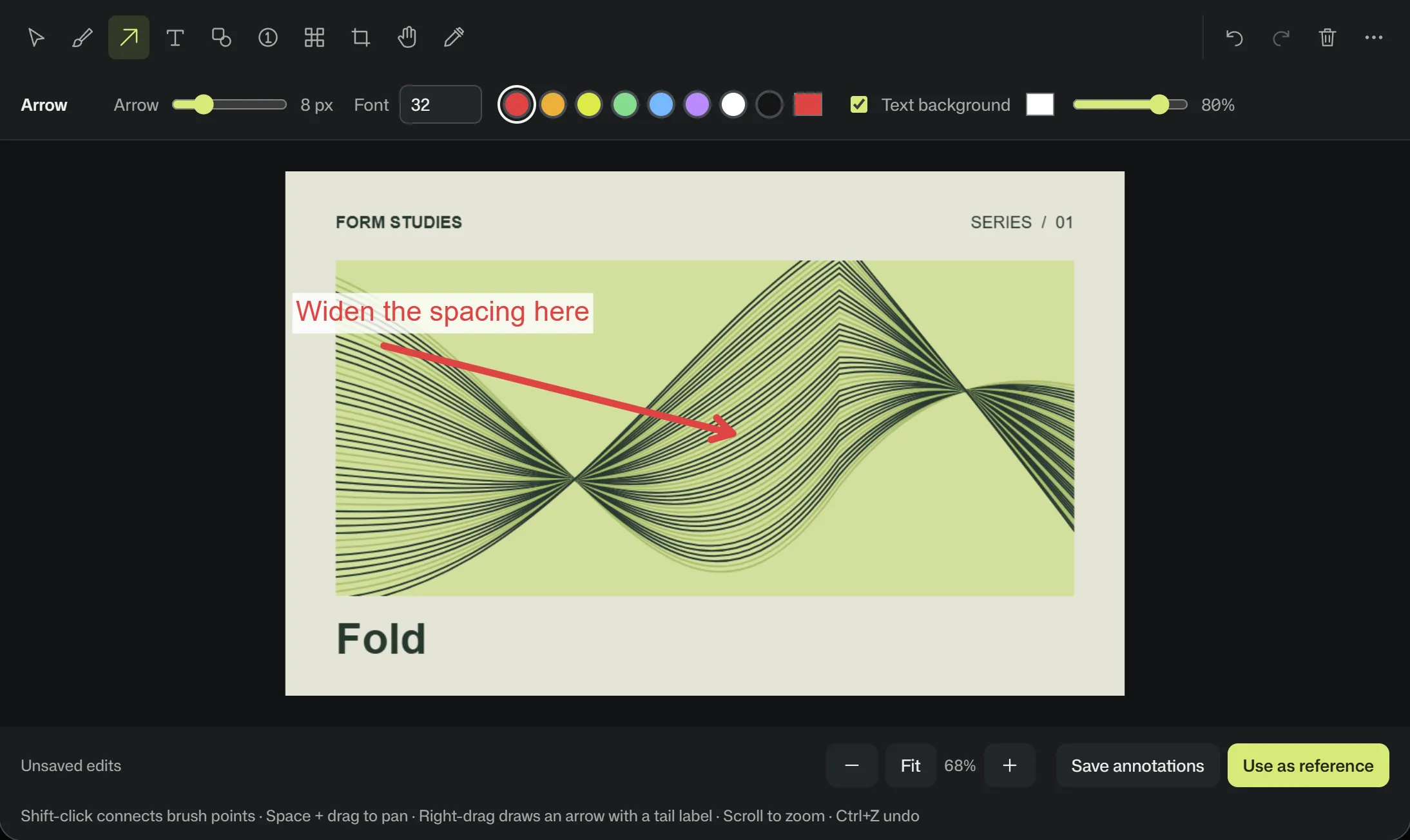
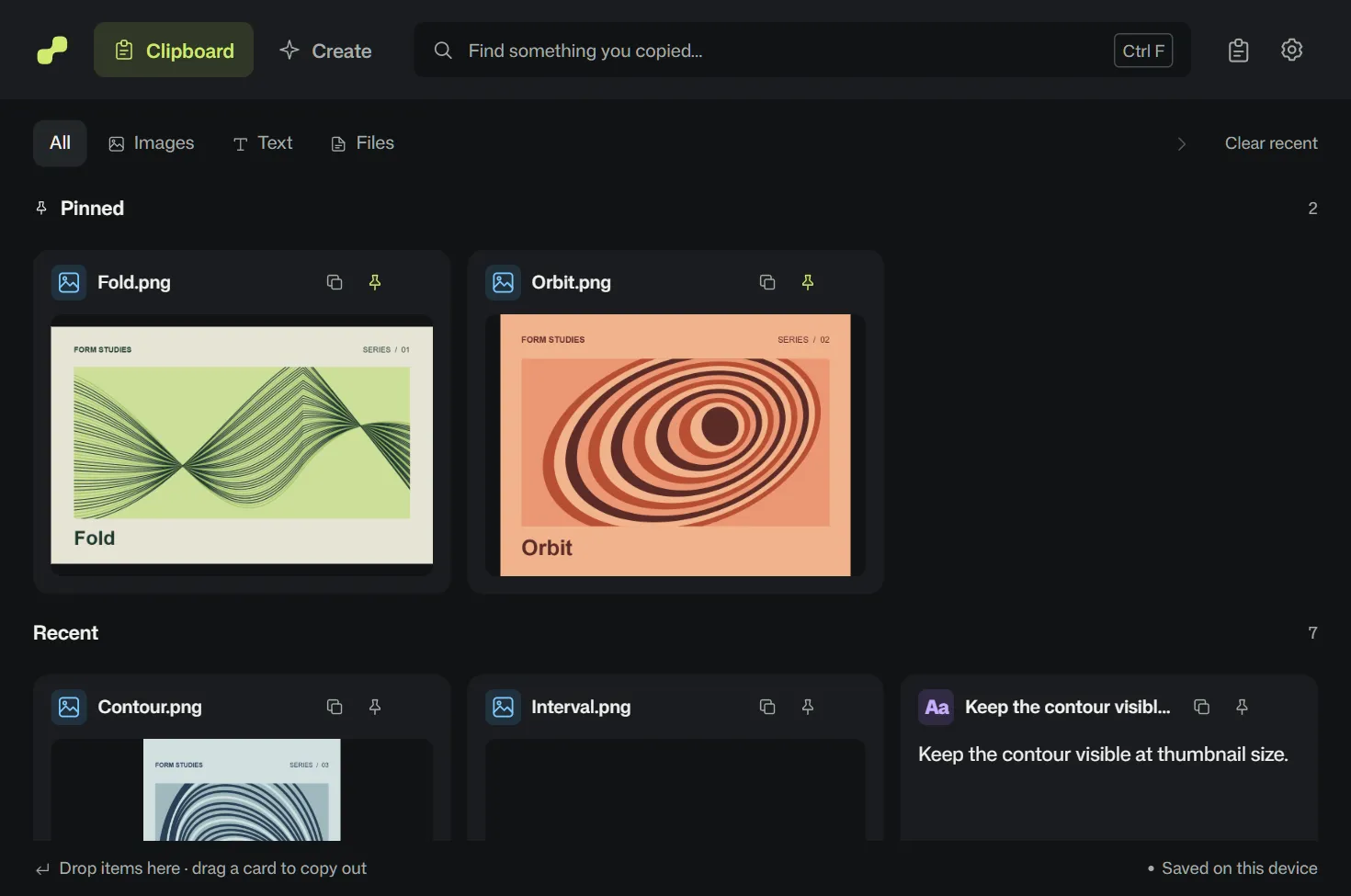
In this example, the change is small. The lines in a graphic study need more space. Follow the same image through the Windows clipboard, the redline editor, and Create to see exactly what reaches the image model.
Grab a reference
Press Win+V to open StickyPaste and choose an image from the shelf. To start with something new, use Ctrl+Shift+right-click on a supported web image or Win+Shift+S to capture a region. You can change the capture shortcut in Settings.
Mark the exact change
Open the image in the editor. Right-drag an arrow toward the detail, then type a short note at its tail. In this example, “Widen the spacing here” points to a group of lines. Use numbered step badges when the model needs to follow several edits.
Click Use as reference
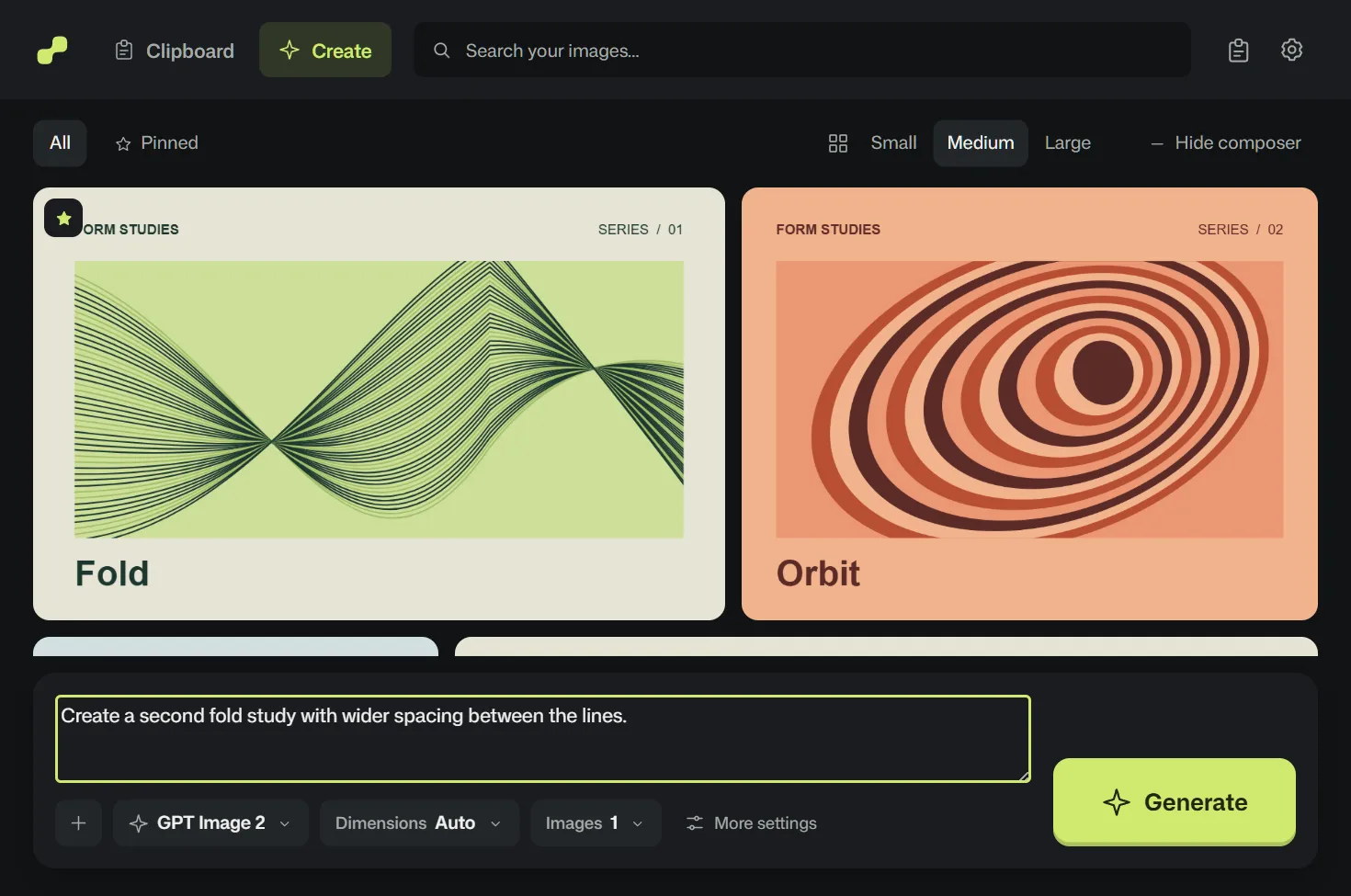
Create pairs Edited and Original and fills in an instruction note you can change. The attachments share a 14 MB limit. A crop or mosaic sends only the flattened edit.

Generate with your own API keys
Choose a model, one to four outputs, and a supported size such as 1K, 2K, or 4K. Check the estimate, then select Generate. Results appear in your local gallery.

What happens to a cropped or redacted original?
When you crop an image or pixelate sensitive information, StickyPaste attaches only the flattened edit. The clean original stays on your PC. Before generating, check the attachment tray in Create. Cropped margins and the original pixels beneath a mosaic are absent from the image sent to the provider.
One edit in Create and across separate apps
With a manual workflow, you carry two image files and a set of instructions from your editor to your image model. StickyPaste Create prepares all three from the image on your Windows shelf. You can check the attachments, adjust the note, and choose when to generate.
| Workflow | StickyPaste Create | Manual multi-app workflow |
|---|---|---|
| Steps per edit | Mark the image and click Use as reference. | Capture, save, open an editor, draw, export, find the original, then upload both files. |
| Marked copy and original | Edited and Original attach together automatically. | Find and upload each version for every edit. |
| Explaining your marks | Review or edit the prefilled instruction note. | Retype what the marks mean, such as “follow the red arrow.” |
| Crops and redactions | A crop or mosaic automatically withholds the unmasked original. | Select the flattened file yourself. A mistaken upload can include the unmasked original. |
| API key storage and cost | Windows Credential Manager stores your keys. $34.99 once for two PCs, without coding. | Third-party apps may charge a subscription. With a script, you manage key storage and must keep keys out of plaintext files. |